How to Choose a Digital Postman for eInvoicing in Slovakia – Step-by-Step Guide
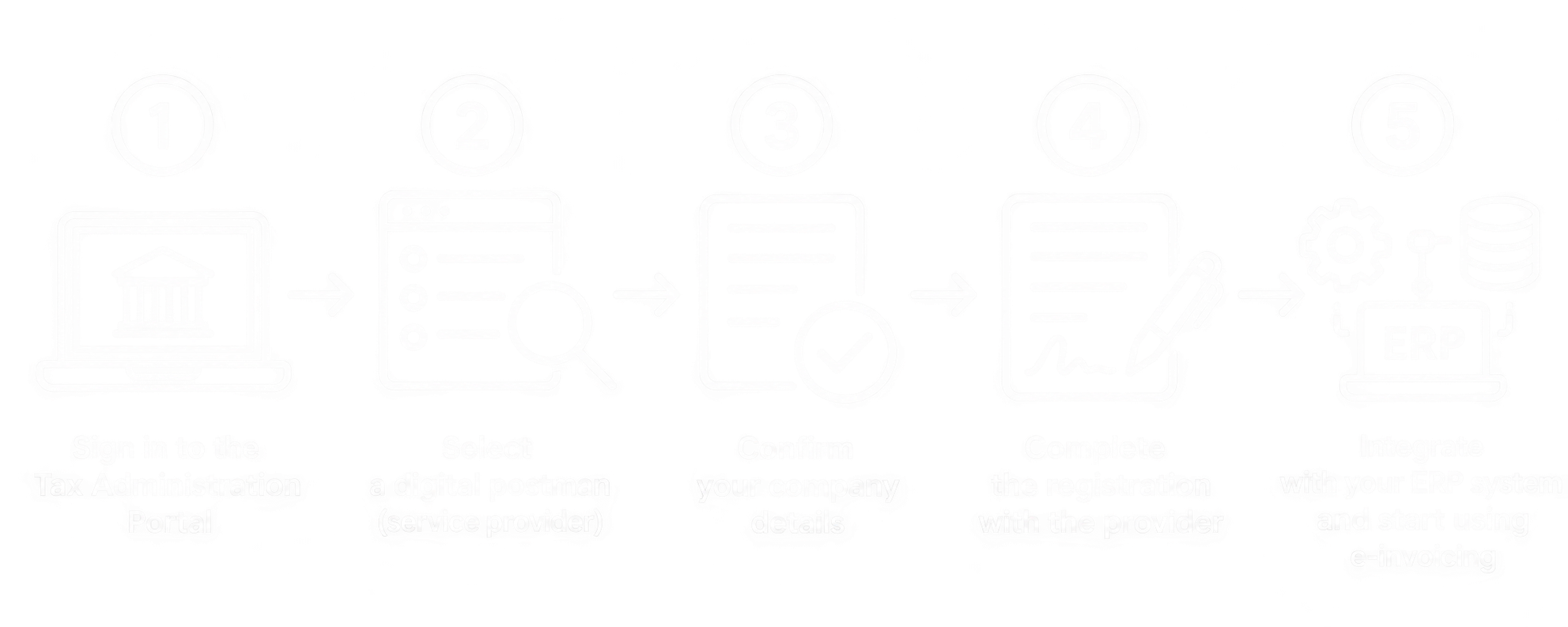
One of the first steps is choosing a digital postman (certified delivery service provider) that will ensure the secure exchange of electronic invoices between business partners.
In this article, we explain how to choose a digital postman, how to register your selected provider through the Slovak Financial Administration portal, and what steps are required afterward.
1. What Is a Digital Postman?
A digital postman is a certified delivery service provider responsible for exchanging electronic invoices between suppliers and customers.
Its primary role is to securely deliver electronic invoices from the sender to the recipient through the Peppol network.
A digital postman may also offer additional services, such as:
Receiving and sending electronic invoices.
Validating the correctness of electronic invoices.
Electronic document archiving.
Tracking invoice delivery statuses.
Integration with accounting or ERP systems.
Important: For receiving electronic invoices, a company can have only one active digital postman per Slovak Tax Identification Number (DIČ). However, multiple providers may be used for sending invoices.
2. How to Choose the Right Digital Postman
When selecting a digital postman, we recommend considering its integration capabilities with your existing information system.
The most important criteria include:
ERP compatibility – whether the provider supports integration with Microsoft Dynamics 365 Business Central, Dynamics NAV, IFS, or another ERP system.
API availability – whether invoices can be sent and received automatically without manual intervention.
Pricing – whether the service is charged through a monthly subscription, transaction fees, or additional service charges.
Archiving – how and for how long the provider stores electronic documents.
Technical support – how errors during invoice transmission or processing are handled.
For larger companies, automated invoice processing directly within the existing ERP system is particularly important.
3. Where Do You Select a Digital Postman?
The selection of a digital postman is performed through the official portal of the Slovak Financial Administration.
Open the following website:
https://vpds.financnasprava.sk/
The portal provides a list of certified delivery service providers and their intermediaries.
Find your preferred provider and click the Výber (Select) button.
Before proceeding, verify the details of the selected provider and, where applicable, its intermediary.
4. Sign In to the Slovak Financial Administration Portal
After selecting the provider, you will be asked to sign in.
You can authenticate using one of the supported methods:
Electronic ID card (eID).
Supported electronic identification methods through slovensko.sk.
Username and password for the Slovak Financial Administration portal.
The user must be registered with the Slovak Financial Administration and must have authorization to act on behalf of the company for which the digital postman is being selected.
5. Select Your Company and Confirm Its Details
After successfully signing in, follow these steps:
Confirm the application's requested access to your identification details.
Select the tax entity for which you want to register the digital postman.
Verify the company's identification details, including its Company Identification Number (IČO) and Tax Identification Number (DIČ).
Enter the contact email address and telephone number.
Authorize the transfer of the company's details to the selected provider.
Review the summary and confirm the submission.
Once the process is completed, you will receive confirmation that the company's details have been submitted to the selected provider.
Note: If you manage multiple companies with different Tax Identification Numbers (DIČ), the selection process must be completed separately for each company.
6. Does the Company Director Have to Select the Digital Postman?
No. The selection can also be performed by another person authorized to represent the company before the Slovak Financial Administration.
For example:
The company's managing director or statutory representative.
An authorized employee.
An external accountant.
An accounting firm with the appropriate authorization.
If your company does not appear in the list of available tax entities, verify that your user account has the necessary authorization to represent it.
7. What Happens After Selecting a Digital Postman?
Selecting a provider through the Slovak Financial Administration portal does not automatically mean that the service is ready for use.
The selection represents an expression of interest and enables the secure transfer of verified company information to the chosen provider.
The next steps typically include:
Completing registration with the selected provider.
Signing or confirming the required service agreement.
Activating electronic invoice reception and, if needed, transmission.
Establishing technical integration with the ERP system.
Testing the sending and receiving of electronic invoices.
For ERP integration, the provider typically supplies the technical information required for communication, such as API endpoints, access credentials, or authentication keys.
The exact activation process and credentials depend on the selected provider.
8. How to Integrate a Digital Postman with Your ERP System
Companies using ERP systems do not need to process electronic invoices manually through the digital postman's web portal.
With appropriate integration, the entire process can be automated.
Outgoing invoices:
ERP System → 4B Software Integration → Digital Postman → Peppol → Customer
Incoming invoices:
Supplier → Peppol → Digital Postman → 4B Software Integration → ERP System
The integration may also include automated processing of received invoices and their subsequent approval workflows.
4B Software provides integration solutions for:
Microsoft Dynamics 365 Business Central
Microsoft Dynamics NAV
IFS
SAP
Other ERP and accounting systems
Learn more about our eInvoicing integration solutions:
https://www.4bsoftware.sk/products/einvoice-slovakia/
Summary
Choosing a digital postman is one of the essential steps in preparing for mandatory electronic invoicing in Slovakia starting January 1, 2027.
The process begins on the Slovak Financial Administration portal, where the company selects a certified delivery service provider.
Afterward, the service must be activated with the chosen provider and integrated with the company's information system.
If your company uses Microsoft Dynamics NAV, Business Central, or IFS, we recommend evaluating ERP integration options before selecting a digital postman.
Choosing the right combination of service provider and ERP integration enables companies to process electronic invoices automatically, reduce manual work, and improve the efficiency of their accounting processes.